
Free SERP Preview Tool See Your Google Snippet Before You Publish
Most websites lose clicks because their title gets cut off or their meta description looks broken on mobile.See exactly how Google will display your snippet on desktop and mobile with our free SERP preview tool. No signup, no limits.
Enter your page title, URL, and meta description below to see exactly how your listing will appear in Google search results. Updated for June 2026 Google display rules.
Free SERP Preview Tool
Preview how your website looks in Google search results on desktop and mobile.
Optimize your title and description to improve CTR and rank higher.
Have suggestions or want to add something? Your feedback helps us improve this tool for everyone.
If you've got 30 seconds, leave us a quick review on Google 🌟 and keeps us motivated to build more.
How to Preview Your Google Snippet in 3 Simple Steps
You do not need to publish anything first. Use this free SERP preview simulator to check your snippet before anyone sees it.
- Enter your page title. This is your meta title or SEO title. Keep it under 60 characters for best results in 2026.
- Enter your URL and meta description. The description should be under 160 characters. Use your target keyword near the start.
- See the live preview. Watch how your snippet appears on desktop and mobile. Fix anything that gets cut off before you publish.
This SERP preview tool works for any page. You can test unlimited times. No account needed.
Everything You Get from Our SERP Snippet Preview Tool
Mobile vs Desktop Preview
Google shows different snippet lengths on mobile and desktop. See both views side by side. In June 2026, mobile first indexing is the standard, so mobile preview matters most.
Truncation Detection
See exactly where your title or description gets cut off. Rewrite it to fit perfectly so your most important message always appears in the snippet.
Real-Time Character Counter
Watch the character count update as you type. Stay within Google’s June 2026 recommended limits. Under 60 for titles, under 160 for descriptions.
CTR Optimization
A better looking snippet means more clicks without any change to your rankings. Small improvements in how your snippet reads can meaningfully increase your organic traffic.
What Is a SERP Preview Tool and Why Should You Use It Before Every Publish?
SERP stands for Search Engine Results Page. It is the page Google shows after someone types in a search query. Your listing on that page – your title, URL, and meta description – is your one chance to convince someone to click on your result instead of the one above or below it. If that snippet looks broken, truncated, or unprofessional, people scroll past. It is that simple.
The problem is that most website owners write their title and description inside WordPress or any CMS, with no idea how it will actually look on Google. Titles that are too long get cut off with three dots at the worst possible moment. Descriptions that run over 160 characters get trimmed mid sentence. On mobile, the cutoff points are completely different from desktop. Something that looks perfect on your laptop can look terrible on a phone.
A SERP preview simulator solves this entirely. You type your title, URL, and description, and you see the live preview exactly as Google would display it on desktop and mobile before you publish anything. In June 2026, with Google AI Mode and AI Overviews taking up more space at the top of search results, your organic snippet needs to stand out more than ever. A clean, properly formatted, keyword forward snippet is one of the most direct ways to improve your organic click through rate without touching your rankings at all.
Use this SERP preview tool every time you create or update a page. Pair it with our Meta Tag Generator to write perfectly optimized titles and descriptions, then preview them here before publishing. Also check your structured data with our Schema Generator to make your snippet eligible for rich results.
7 SERP Preview Mistakes That Kill Your Click Through Rate
These are the most common errors people make when writing meta titles and descriptions. Our SERP preview tool catches them all before you publish.
- Title too long for mobile. Desktop might show 60 characters, but mobile truncates around 55 to 58 characters. Check both views.
- Meta description cut off mid sentence. Keep descriptions under 160 characters or Google will trim them at a random word.
- Keyword not in the title. Your primary keyword needs to appear near the start of your title tag for both SEO and user clarity.
- No call to action in description. “Learn more”, “Shop now”, “Get started” – these small phrases increase clicks.
- Same title on every page. Duplicate snippets confuse Google and users. Every page needs a unique title and description.
- Forgetting to preview on mobile. Over 60 percent of searches happen on mobile in Pakistan. If your snippet looks bad on a phone, you lose most of your audience.
- Publishing without checking. This is the biggest mistake. One minute of preview can save you weeks of lost traffic. Use a SERP snippet preview tool every time.
Our free SERP preview simulator helps you avoid all of these mistakes. You see the exact snippet before anyone else does.
3 Ways to See How Your Page Looks on Google
You have options. Pick what works best for your workflow.
1. Use Our Free SERP Preview Tool (Fastest – Updated June 2026)
Enter your title, URL, and description above. Get an instant live preview of exactly how Google will display your snippet on both desktop and mobile. No signup. No limits. Best for quick checks before publishing new pages or updating old ones.
2. Google Search Console Performance Report
After your page is live, go to Google Search Console and check the Performance report. You can see exactly how your snippet appears in real search results and what your click through rate is. This is good for analysis but does not help you preview before publishing.
3. Manual SERP Check (Search Google Yourself)
Search for your target keyword on Google and find your page. See how your snippet looks in the actual search results. This works but you have to wait for Google to index your page first. Not ideal for pre publication checks. Use our tool before publishing, then verify with real search results after indexing.
For the best workflow: use our free SERP preview tool before publishing. Once the page is live, check Google Search Console to see real CTR data. Adjust your title and description based on what the data tells you.
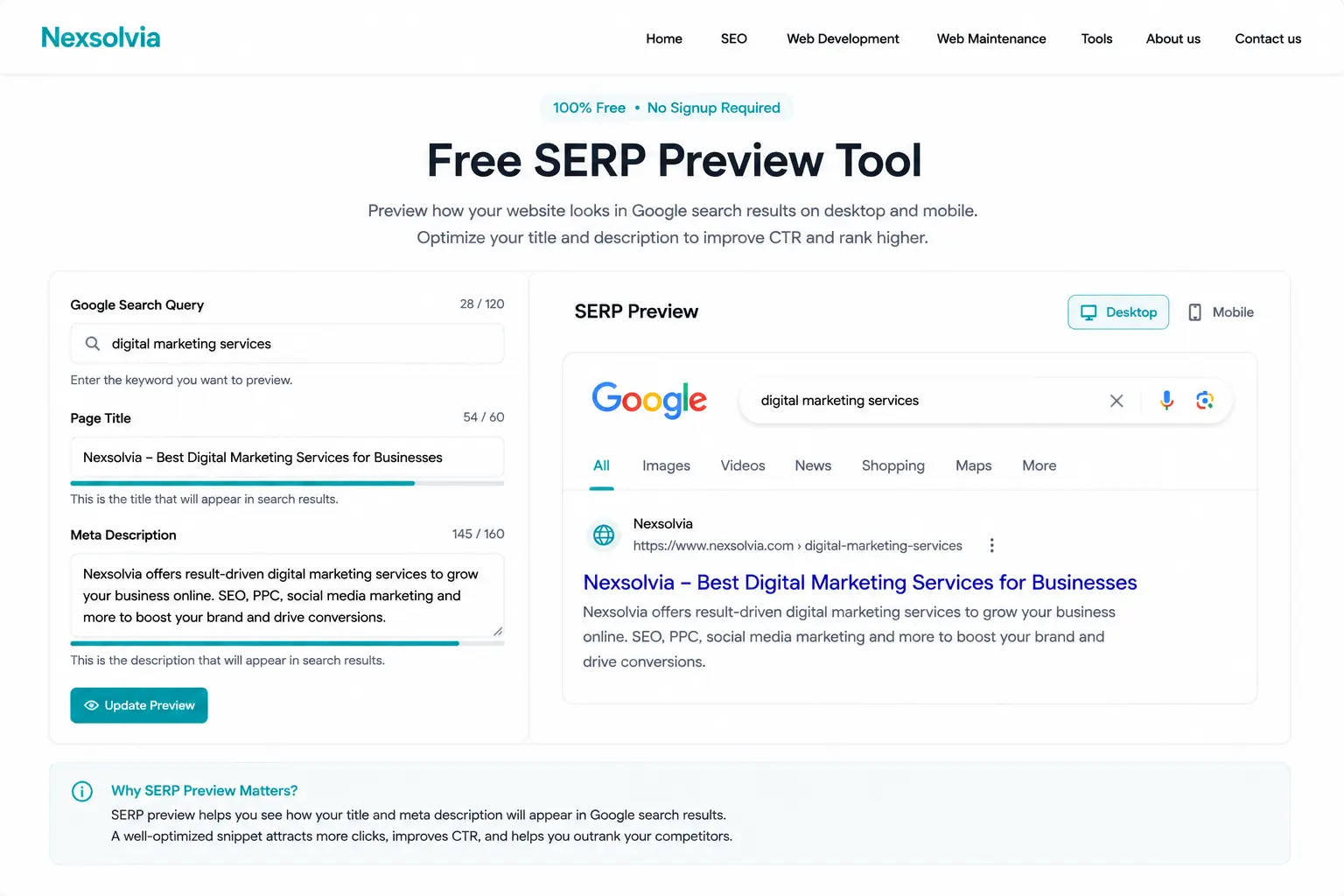
Our free SERP preview simulator in action – see your Google snippet before publishing, updated for June 2026 display rules.