
Free Schema Validator & JSON-LD Checker Tool
Added schema markup but not sure if it is actually working? Paste any URL or JSON-LD code and find out instantly whether your structured data is valid, error-free, and eligible for Google rich results.
Schema Validator for Structured Data Testing
Check Schema Markup from code, URL, or HTML source. Get rich results eligibility, missing properties, and full schema preview.
If you've got 30 seconds, leave us a quick review on Google 🌟 and keeps us motivated to build more.
Well‑structured data boosts visibility and click‑through rates.
Validated against the latest schema.org standards (October 26, 2026 version).
How to Validate Schema Markup in 3 Steps
The schema markup checker works for any page or any JSON-LD code snippet. Here is how to run your first check.
- 1
Enter a URL or paste JSON-LD code in online schema validator
Type your page address to check live schema, or paste raw JSON-LD directly if you want to test before publishing. Both inputs work with the same validator.
- 2
Click Validate Schema
The tool extracts your structured data, parses every property, and checks each field against Google’s current schema requirements for rich results.
- 3
Review errors, warnings, and rich result status
Results are grouped clearly errors that block rich results, warnings that reduce display quality, and a confirmation of what schema types were found.
What Is a Schema Validator and Why Skipping This Step Costs You Rich Results
Adding schema markup is one of the smartest SEO moves you can make in 2026. But there is a step most people skip entirely, and it quietly makes all that work pointless. That step is validation.
Schema markup is code. And like all code, it breaks in ways you cannot see. A missing required field, a wrong property name, an incorrect data type, a formatting mistake in the JSON structure these errors are invisible to anyone reading your page. But Google catches them immediately. Invalid schema is treated as no schema at all. Your page gets zero rich result eligibility and zero benefit from the work you put in.
A schema validator is the tool that tells you whether your JSON-LD is actually correct before you spend weeks wondering why your FAQ schema never triggered dropdown results, or why your Product schema never showed star ratings. One of those missing fields could have been found in 30 seconds.
This matters beyond traditional SEO in 2026. Google AI Mode and AI Overviews use structured data as a primary signal to identify authoritative content worth citing. Generative Engine Optimization (GEO) depends on your schema being not just present but correct, complete, and properly formatted. An invalid JSON-LD validator check can tell you that in one click.
The best workflow: generate schema with our Schema Markup Generator, then validate it here before pasting it into your site. Two tools, two minutes, zero errors.
Most schema errors are invisible. They do not break your page, they do not show a warning in your browser, and your site continues to look perfectly normal. The only place they show up is in Google’s crawler logs and by then, you have already lost weeks of rich result potential.
Running a structured data validator check takes 30 seconds. Discovering on your own that your FAQPage schema never triggered dropdowns because of a missing field – that takes much longer.
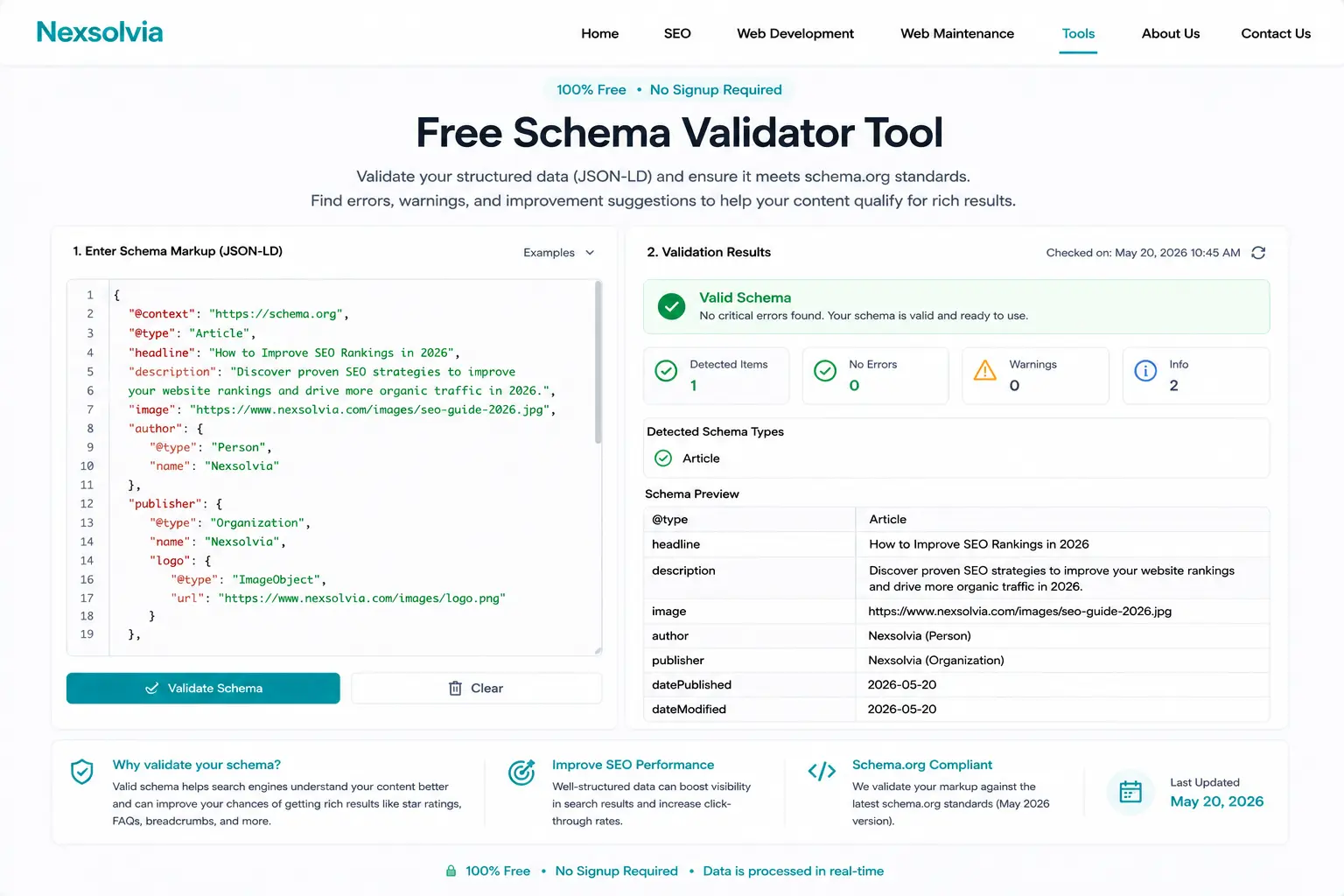
The results below show four possible states your schema can be in. Green means you are set. Anything else means there is work to do before Google will reward your markup with enhanced search results.
Valid Schema
No errors found. All required fields are present and your page qualifies for rich results and AI citations.
Warnings Found
Schema is valid but missing recommended fields. Rich results will show but may be less complete.
Errors Detected
Required fields are missing or incorrect. Google will ignore this schema entirely until fixed.
No Schema Found
No structured data detected. A missed opportunity for rich results and AI search visibility.
JSON-LD Syntax Validation
We parse your JSON-LD structure completely. Checking for syntax errors, malformed properties, incorrect nesting, and missing required fields that would cause Google to reject your schema.
Rich Results Eligibility Check
Different schema types need different fields to qualify for rich results. We check your markup against Google’s current requirements and tell you exactly what is missing.
AI Overview Compatibility
Google AI Mode uses structured data as a primary signal for content comprehension. We verify your schema sends the right signals for AI search citation in 2026.
URL or Code Input
Validate a live URL, we extract the schema automatically, or paste raw JSON-LD for instant pre-publish checking before it goes live on your site.
Schema Types, Rich Results, and Required Fields
Different schema types unlock different rich results in Google Search. Here is a quick reference for the most commonly used types and what fields you need to get them working.
| Schema Type | Rich Result Enabled | Key Required Fields | AI Visibility Benefit |
|---|---|---|---|
| FAQPage | FAQ dropdowns in SERP | Question, acceptedAnswer | High – AI cites FAQ answers directly |
| Article | Enhanced blog results, top stories | headline, author, datePublished | High – signals authorship and freshness |
| Product | Price, rating, availability | name, offers, price | Medium – supports shopping results |
| LocalBusiness | Local pack signals, map results | name, address, telephone | Very high – directly boosts local AI answers |
| Review | Star ratings in SERP | reviewRating, author, itemReviewed | Medium – builds trust signals |
| HowTo | Step-by-step visual results | name, step, text | High – AI loves structured how-to content |
| BreadcrumbList | Breadcrumb trail in search snippet | item, position, name | Low – improves site structure signals |
| SoftwareApplication | App rating and category | name, applicationCategory, offers | Medium – useful for tool and app pages |
⚠️ One Rule That Catches Most People
Your schema must match your page content. If your FAQPage schema lists questions that do not actually appear on the page, Google will reject it for rich results even if the JSON-LD syntax is perfectly valid. The schema checker catches syntax and structure errors – but always make sure your markup reflects what is actually on the page.
3 Ways to Test and Validate Your Schema Markup
There is more than one way to check structured data. Here is when to use each method.
This Free Schema Checker
Enter any URL or paste JSON-LD code above. Results in seconds, no login, no limit. Best for quick checks before publishing and for testing multiple pages in a row. The schema validator catches syntax errors, missing fields, and shows rich result eligibility in one pass.
Google Rich Results Test
Google’s official tool at search.google.com/test/rich-results. It is the most authoritative check since it replicates Googlebot’s exact reading of your page. Use it to confirm rich result eligibility after fixing errors found here. Limitation it only checks pages that are publicly live and crawlable.
Manual JSON-LD Review
Open your page source, find the application/ld+json script block, and read through it line by line. Slower, but useful for understanding exactly what each property does. Paste what you find into our validator above to check it quickly.
For most use cases, start with this validator, fix any errors flagged, then confirm with Google’s Rich Results Test before submitting your URL for re-indexing in Search Console.
7 Common Schema Markup Errors That Block Rich Results
These are the mistakes the schema checker finds most often. Knowing what to look for helps you write cleaner structured data from the start.
- Missing required fields: Every schema type has required fields. FAQPage needs
acceptedAnswer. Product needsoffers. Without them, Google ignores the schema entirely. - Broken JSON syntax: A missing comma, an extra bracket, or an unclosed quotation mark breaks the entire JSON-LD block. The schema tester catches these instantly even when they are hard to spot by eye.
- Wrong data type for a property: Some fields expect a number, others a URL, others a text string. Passing the wrong type is treated as an error even when the field is present.
- Schema not matching page content: Google’s guidelines require your structured data to reflect what is actually on the page. FAQ schema for questions that do not appear on the page will be rejected for rich results.
- Using deprecated schema properties: Schema.org updates regularly. Some properties from older guides no longer work. Our structured data validator checks against current requirements.
- Duplicate schema blocks: Multiple conflicting schema blocks for the same type on one page can confuse Google’s parser. Keep one clean block per schema type.
- Missing recommended fields: Recommended fields are optional for validation but they improve how rich results display. For example, a Product schema without
aggregateRatingwill not show star ratings in search.
If you need to generate clean schema from scratch after finding errors, use our Schema Markup Generator it builds valid JSON-LD for the most common schema types without any coding needed.
And if your website itself needs proper structured data built in from the start, a WordPress site built with SEO in mind makes implementation much simpler. See how we approach this in our web development services.