
Free Broken Link Checker Find 404 Errors & Dead Links Instantly
A single broken link can silently drain your SEO authority and frustrate real visitors. Scan any page in seconds, find every dead link, and fix them before Google finds them first. Our free broken link checker tool scans internal and external links for 404 errors.
Scan Your Page for Broken Links
Enter any URL below and we will scan every link on that page and show you exactly which ones are broken, redirected, or returning 404 errors.
How to Check for Broken Links in 3 Simple Steps
You do not need to be a developer. Use this free broken link checker to find dead links on any page.
- Enter a page URL. Type or paste the address of the page you want to check. Works for any website.
- Click Scan. Our broken link checker online tool scans every link on that page internal and external.
- Review the results. See exactly which links are broken, redirected, or returning errors. Fix them one by one.
You can scan unlimited pages. No account needed. This is the best free broken link checker for website owners.
Everything You Get from Our Free Broken Link Checker
Full Page Link Scan
We check every link on your page internal links to your own content and external links to other websites and report the HTTP status of each one instantly.
404 Error Detection
404s are the most common broken link type. Our 404 checker flags every single one so you can fix or redirect them before they cost you rankings or visitors.
Redirect Chain Detection
Redirect chains slow your site and dilute link equity. We surface these so you can clean them up properly with our 404 link checker.
Exportable Results
Get a clean, organized list of all broken and problematic links. Easy to share with your developer or work through yourself page by page.
What Are Broken Links and How Are They Quietly Hurting Your Website Right Now?
A broken link is any link on your website that leads to a page that no longer exists returning a 404 error instead of live content. They happen constantly and naturally. You delete a page, a plugin changes a URL, an external website goes offline, or you restructure your site without updating old internal links. The result is a dead end for your visitors and for Google.
From a user experience perspective, broken links are frustrating. A visitor clicks a link expecting useful content and hits a 404 error page instead. They leave. That exit signal tells Google your website is not well maintained and that affects your credibility and rankings over time.
From an SEO perspective, broken links have two damaging effects. First, they waste your crawl budget the number of pages Google will crawl on your site in a given time period. Every broken link Google follows is a wasted crawl request that could have been spent on your real, valuable pages. Second, they break your internal link equity the authority that flows through your site via links. A broken internal link means that PageRank stops flowing, and the destination page misses out on the authority it was meant to receive. This is why using a broken link checker is essential.
In 2026, with Google’s crawling and indexing systems more sophisticated than ever, technical SEO hygiene matters more. Regular broken link checks are one of the simplest, highest-impact maintenance tasks you can do. Run a scan, fix what is broken, and keep your link structure healthy. Pair this with our Robots.txt Checker to make sure you are not accidentally blocking Google from your most important pages.
⚠️ 7 Broken Link Mistakes That Hurt Your SEO
1. Ignoring 404 errors. Every 404 is a lost visitor and wasted crawl budget. Fix them as soon as you find them.
2. Not checking external links. External websites change. A link that worked last month may be dead now. Run regular scans.
3. Breaking internal links during site updates. When you change URLs, update all internal links pointing to them.
4. Using redirects instead of fixing the link. A 301 redirect is a temporary fix. Update the link itself when possible.
5. Not checking after content updates. Every time you edit a page, check its links again.
6. Missing broken image links. Images that do not load hurt user experience and page speed.
7. Forgetting to check your sitemap. A broken link in your sitemap means Google cannot find that page at all.
3 Ways to Find Broken Links on Your Website
You have options. Pick what works best for your workflow.
1. Use Our Free Broken Link Checker (Fastest)
Enter any page URL above. Get a complete list of all broken links, 404 errors, and redirects in seconds. No signup. No limits. Best for quick checks before publishing new pages or after site updates.
2. Google Search Console Coverage Report
After your site is crawled, Google Search Console shows you pages with 404 errors in the Coverage report. This is good for finding broken links across your entire site, but it only shows pages Google has crawled.
3. Manual Link Inspection
Use browser extensions or manually click every link on your page. This works but takes a very long time for large pages. Use our tool before publishing, then verify with Search Console after indexing.
For the best workflow: use our free broken link checker before publishing. Once the page is live, check Google Search Console to see if any 404s appear. Fix them immediately.
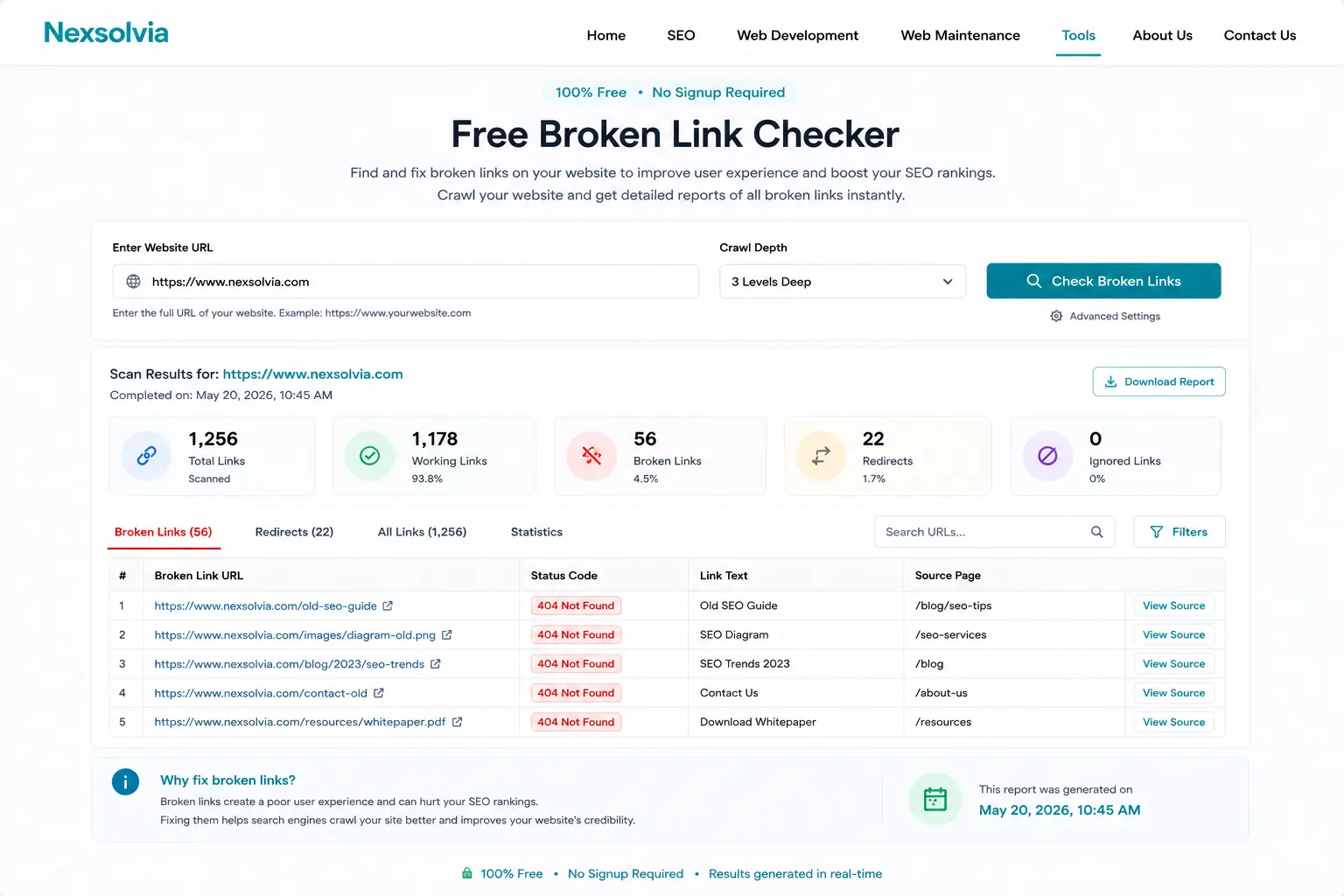
Our free broken link checker in action — scan any page and see all broken links instantly.